
Washington Post: Live News
The Washington PostNews & Magazines
4.424.03K Reviews
- Version
- Varies With Device
- Installs
- 1.00M
- Age Rating
- Everyone 10+
Screenshots




Our Review of Washington Post: Live News
 Analysis by Appyee
I tend to reach for a news app when I want more than a quick headline but don’t have time to sit down with a newspaper. The Washington Post’s app is built around keeping readers close to developing stories, and that focus shapes the experience: it can help me follow what is changing now, then give me room to understand the reporting behind it. The balance is useful, though it also means the app suits readers who want a steady stream of news better than people who only check headlines once in a while.
Following a story as it develops
The central appeal here is the live news feed. Rather than treating a major event as one finished article, the app gives me a place to check for new reporting as a story unfolds. That is most helpful when the situation is changing quickly: I can scan what is new, open a report that catches my attention, and return later to see whether the coverage has moved on.
This approach works best when I use it with a question in mind. If I am following a policy announcement, for example, I can check for the initial report, then look for follow-up coverage that explains what it could mean. The live format makes the first step easy; the value comes from taking a moment to read beyond the newest alert or headline.
What the steady stream changes in practice
Breaking-news coverage can be useful without needing to dominate the day. I would treat notifications as prompts to check a story, not as a complete account of it. A short alert is convenient when I am away from my desk, but it rarely gives the context I need to form a view. Opening the article and reading the fuller explanation is a better habit, especially for politics and other subjects where one new development can be easy to misread on its own.
A realistic routine might be to check the app over breakfast, save a developing topic for a later reading break, and return in the evening for a fuller account. That gives the feed a practical role without turning every update into an interruption. If a story matters to me, I can follow its progression; if it does not, I can move on without feeling obliged to keep refreshing.
Reporting that rewards a second read
The Washington Post is a news organization, and the app’s strongest reason to stay is the reporting itself. Alongside timely coverage, its journalism can provide more detail and interpretation than I get from a bare headline or a rapid-fire social post. I appreciate that distinction: the fastest update is not always the most useful one, and a clear account of what is known can be more valuable than seeing every small change as soon as it happens.
For a better reading workflow, I would separate checking from understanding. First, use the feed to identify which stories have changed. Then choose one or two that actually affect your interests and spend time with the complete coverage. This is a small but important trade-off: the app can make it easy to keep up, but it cannot decide which developments deserve your attention.
Where it fits among news alternatives
Compared with a general news aggregator, a publication’s own app gives me a more direct route into that publisher’s reporting and editorial perspective. An aggregator may be a better choice if I want to compare many outlets in one place or cast a wide net across subjects. A social feed can surface eyewitness posts and reactions quickly, but it also mixes reporting with commentary and can make it harder to tell what has been established. I see this app as a better fit when I want to follow Washington Post coverage, not as a substitute for every other source.
That distinction matters most during a fast-moving event. I would use a live feed to see how the paper is covering it, then seek other credible reporting if I need a broader range of perspectives. No single publisher’s app should be the only place I look for a complicated story. The convenience of one familiar newsroom is real, but so is the value of checking how different outlets explain the same development.
Who will get the most from it
I would recommend the app to readers who follow national news, politics, or major events and want both timely updates and substantial reporting in the same place. It can also suit someone who has a few recurring interests and likes to check in several times during the day. The Washington Post app is free to download, and its publisher is The Washington Post. It has an average rating of 4.4 from around 91,000 ratings, with more than a million installs, which suggests it has a substantial audience without telling me whether it will match any one reader’s habits.
On the other hand, someone who wants only a handful of top headlines each morning may find a lighter news digest less demanding. Readers who prefer a cross-publication overview may be happier with an aggregator, while people who avoid frequent notifications should be selective about what they allow through. I would not install a live-news app expecting every update to be essential; the benefit depends on choosing when to check and which stories to follow.
The app is rated for Everyone 10+, and its current version is 7.1.3, with Android support starting at version 5.0. Those details make it easier to judge basic suitability and compatibility before installing. There are in-app purchases, listed in a range from $5 to $189.99 per item, so I would check the purchase choices shown in the app before committing to anything. Downloading it for free does not mean every possible reading arrangement is necessarily free.
Using it without letting the news take over
One useful way to keep the live feed manageable is to decide in advance what deserves an interruption. If a topic is important to me, an alert can help me notice a significant development; for routine reading, opening the app when I choose gives me more control. I would also avoid treating a string of updates as a complete narrative. When a story is changing, an earlier report may no longer capture the latest picture, so checking the publication time and reading the newest context is sensible.
Another practical habit is to use search when I return to a subject after some time away. Instead of scrolling through every fresh headline, I can look for the topic I care about and pick up the thread from there. That is especially useful when a major event has generated several related reports. It turns the app from a stream to monitor into a reference point for a story I have chosen to follow.
For readers who share articles, I would send the report itself rather than relying on a short excerpt or alert. A headline can be an efficient pointer, but the article supplies the qualifications and details that make the reporting meaningful. This small choice helps avoid passing along an incomplete impression of a developing issue.
A considered fit for everyday reading
My overall view is that this is most useful when I want to stay close to an unfolding story and then read the reporting in enough depth to understand it. Its live-news emphasis offers immediacy, while the publication’s journalism gives me a reason to stay after the first update. The trade-off is that a steady flow of news can ask for more attention than a simple daily briefing, and the app’s perspective is not a replacement for comparing sources on contentious subjects.
If I were choosing a news app for a friend, I would ask how they actually read. Someone who checks important developments throughout the day and values detailed coverage is likely to find a good routine here. Someone who wants a quiet, broad roundup with minimal follow-up may prefer another format. For me, the best use is selective: let the feed show what is moving, choose the stories that matter, and give those stories more than a glance.
Hey there, news enthusiasts! So, I’ve been diving into the Washington Post: Live News app, and let me tell you, it’s quite the experience. Whether you’re a news junkie or just someone who likes to stay informed, this app offers a fresh and dynamic way to keep up with current events. Let’s break down what makes this app tick and why it might just be your next favorite download.
Getting Started with the App
First things first, downloading the Washington Post: Live News app is a breeze. Available for both Android and iOS, it’s a quick install from the app store. Once you’re in, you’re greeted with a sleek and intuitive interface. The layout is clean, making it super easy to navigate through the app. The home page is a feed of the latest headlines, tailored to your interests based on your previous reads and selected categories.
Features You’ll Love
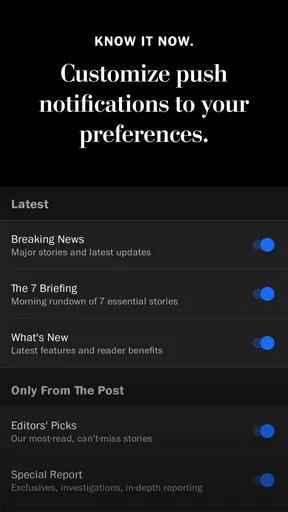
Now, onto what really caught my eye. The app offers a real-time news feed, which is constantly updating with the latest stories. This is perfect for those who want to stay on top of breaking news. Another great feature is the customizable alerts. You can set notifications for specific topics, ensuring you’re always up-to-date on what matters most to you.
For those who like to dig deeper, the in-depth analysis and opinion pieces are a treasure trove. The app doesn’t just skim the surface; it dives into the details, providing context and expert opinions. Plus, the multimedia content is top-notch. From engaging videos to high-quality images, the app makes sure you’re not just reading the news, but experiencing it.
Live News and Events
One of the standout aspects of this app is the live coverage of events. Whether it’s a major political debate, a sports event, or breaking news, you can watch it unfold in real-time. The app includes a schedule of upcoming events, so you can tune in whenever there’s something happening that piques your interest. It’s like having a front-row seat to the world’s biggest stories.
User Experience
Let’s talk about usability. The app’s design is user-friendly, with a smooth scrolling experience and easy access to different sections. The search function is robust, allowing you to find articles by keyword or browse through categories effortlessly. The app also supports offline reading, which is a lifesaver when you’re on the go and need to save data.
Logging in offers a more personalized experience, syncing your preferences and reading history across devices. This feature is especially handy if you switch between your phone and tablet throughout the day.
The Community Aspect
Engagement is key in today’s digital age, and this app nails it with its community features. You can comment on articles, engage in discussions, and even share your favorite stories on social media directly from the app. It creates a sense of community among readers, allowing you to connect with others who share your interests.
Final Thoughts
So, after spending some quality time with the app, I can confidently say it’s a must-have for anyone looking to stay informed with ease. It’s not just about reading the news; it’s about understanding it, engaging with it, and experiencing it in the most interactive way possible.
Whether you’re catching up on global events or diving into local stories, this app has it all. Download it, explore it, and see how it fits into your daily routine. I’m betting you’ll find it as indispensable as I did!
Privacy and Permissions
See what permissions an app requests and how it handles your data.
- Identity
- find accounts on the device, add or remove accounts
- Contacts
- find accounts on the device
- Photos/Media/Files
- read the contents of your USB storage, modify or delete the contents of your USB storage
- Storage
- read the contents of your USB storage, modify or delete the contents of your USB storage
- Camera
- take pictures and videos
- Microphone
- record audio
- Wi-Fi connection information
- view Wi-Fi connections
- Other
- view network connections, create accounts and set passwords, change network connectivity, full network access, change your audio settings, read sync settings, control vibration, prevent device from sleeping, modify system settings, toggle sync on and off
Verdict
Strengths of Washington Post: Live News
- Comprehensive news coverage.
- User-friendly interface.
- Regular updates and alerts.
- Offline reading available.
- Customizable news categories.
Limitations of Washington Post: Live News
- Subscription required for full access.
- Occasional ad interruptions.
- App can be slow to load.
- Limited free content.
- Notifications can be overwhelming.
Other Releases by The Washington Post
View All
Washington Post Select
News & Magazines4.6
Similar Picks in This Category
View All
Google News - Daily Headlines
Google LLC4.0

X
X Corp.4.8

Flipboard:Your Social Magazine
Flipboard3.4

Opera News: breaking & local
Opera4.5

Hindi News by Dainik Bhaskar
Dainik Bhaskar Group4.0

Way2News Daily News App
Way2News ( Formerly Way2SMS )4.6
Frequently Asked Questions
What features does the Washington Post: Live News app offer?
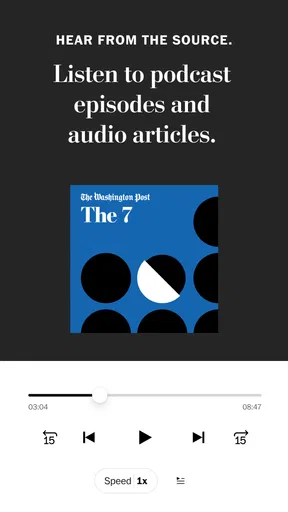
The Washington Post: Live News app provides users with real-time news updates, breaking news alerts, and in-depth articles on various topics such as politics, technology, and international affairs. It also includes multimedia content like videos and podcasts, customizable news alerts, and offline reading capabilities to stay informed on the go.
Is a subscription required to access content on the Washington Post app?
While the Washington Post app offers some free content, access to the full range of articles and features typically requires a subscription. Various subscription plans are available, including digital-only options that provide unlimited access to articles, special reports, and other premium content, ensuring readers have the latest news at their fingertips.
How can I customize my news feed in the app?
The Washington Post app allows users to personalize their news feed by selecting topics or sections of interest, such as politics, business, or sports. You can adjust your notification settings to receive alerts only on preferred topics, ensuring your news feed is tailored to your interests and keeps you updated on what matters most.
Does the Washington Post app support offline reading?
Yes, the Washington Post app supports offline reading, allowing users to download articles and read them later without an internet connection. This feature is particularly useful for those who want to stay informed while traveling or in areas with limited connectivity, ensuring uninterrupted access to news.
Is the Washington Post app available on both Android and iOS?
The Washington Post: Live News app is available for download on both Android and iOS platforms, ensuring compatibility with a wide range of devices. Users can download the app from the Google Play Store for Android devices or the Apple App Store for iOS devices, making it accessible to a broad audience.
